The runs panel
The bottom panel follows a run through its whole lifecycle across four tabs: Support plan, Trigger event, Workflow run, and Run summary. Toggle it with ⌘J, or maximize it with the expand button in the tab bar.
Trigger event
Section titled “Trigger event”This tab configures what “happens” to start the run. It shows one sub-tab per trigger the workflow declares in on:, with a form for that event’s interesting fields, such as the ref for a push or the action and branches for a pull_request. A workflow_dispatch trigger renders its declared inputs as a form, with defaults saved per workflow.
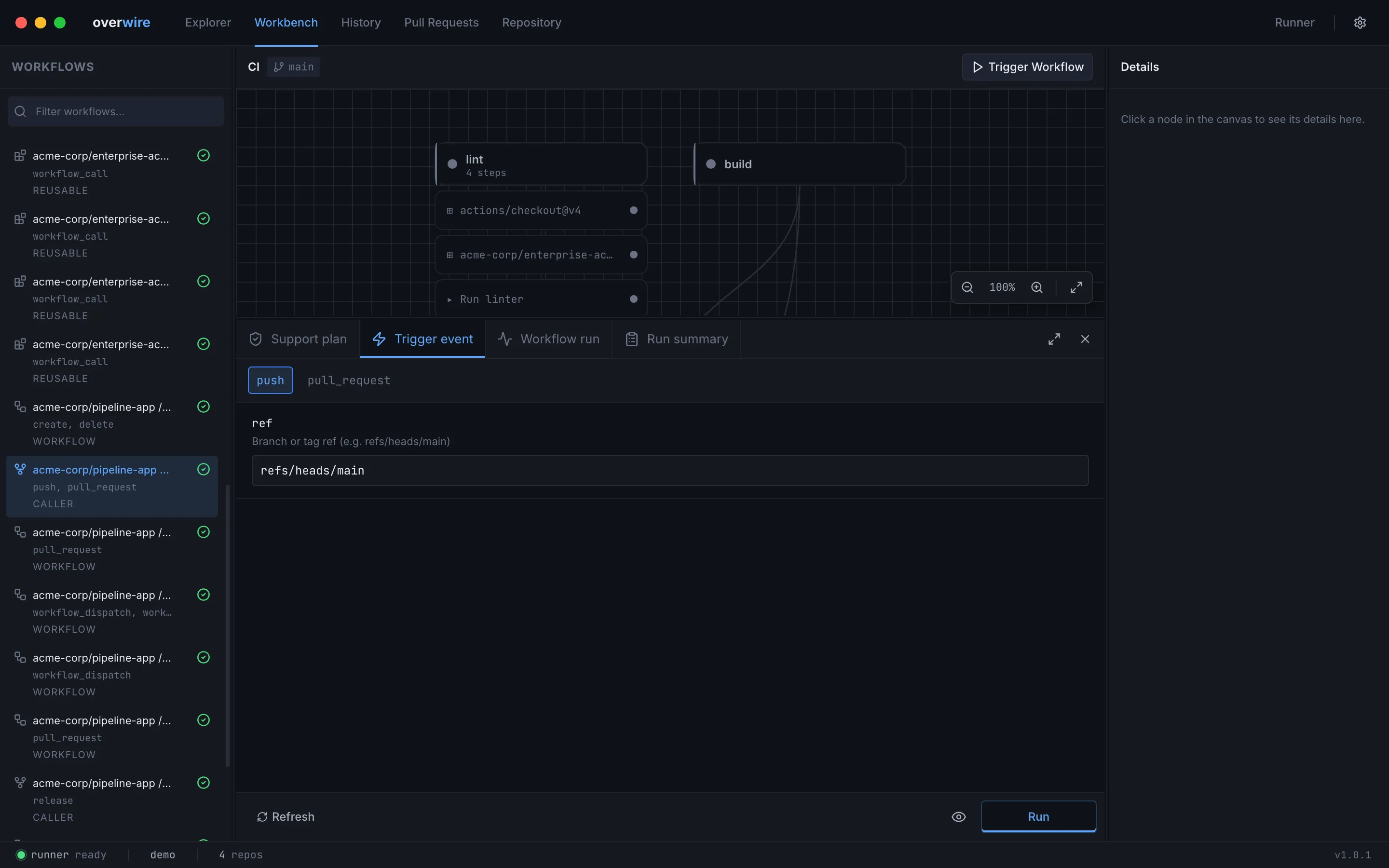
Field values persist to payloads/<event>.json and dispatch defaults to dispatch/<workflow>.yml, so the CLI sees the same event you configured here. A Diagnostics card below the form surfaces pre-run validation and static analysis findings, such as expression references that cannot resolve, before anything executes.
Run starts the workflow. The eye toggle next to it arms watch mode: after the next run, changes to the workflow, its config, or workspace files re-trigger the same run automatically until you switch it off.
Support plan
Section titled “Support plan”Before running anything, the support plan explains how Overwire will satisfy every step: which provider backs it (runner shell, Overwire service, action code, mock contract), its support status, and any warnings. Each row carries inline skip/mock/live buttons, so you can set modes right where the explanation is.
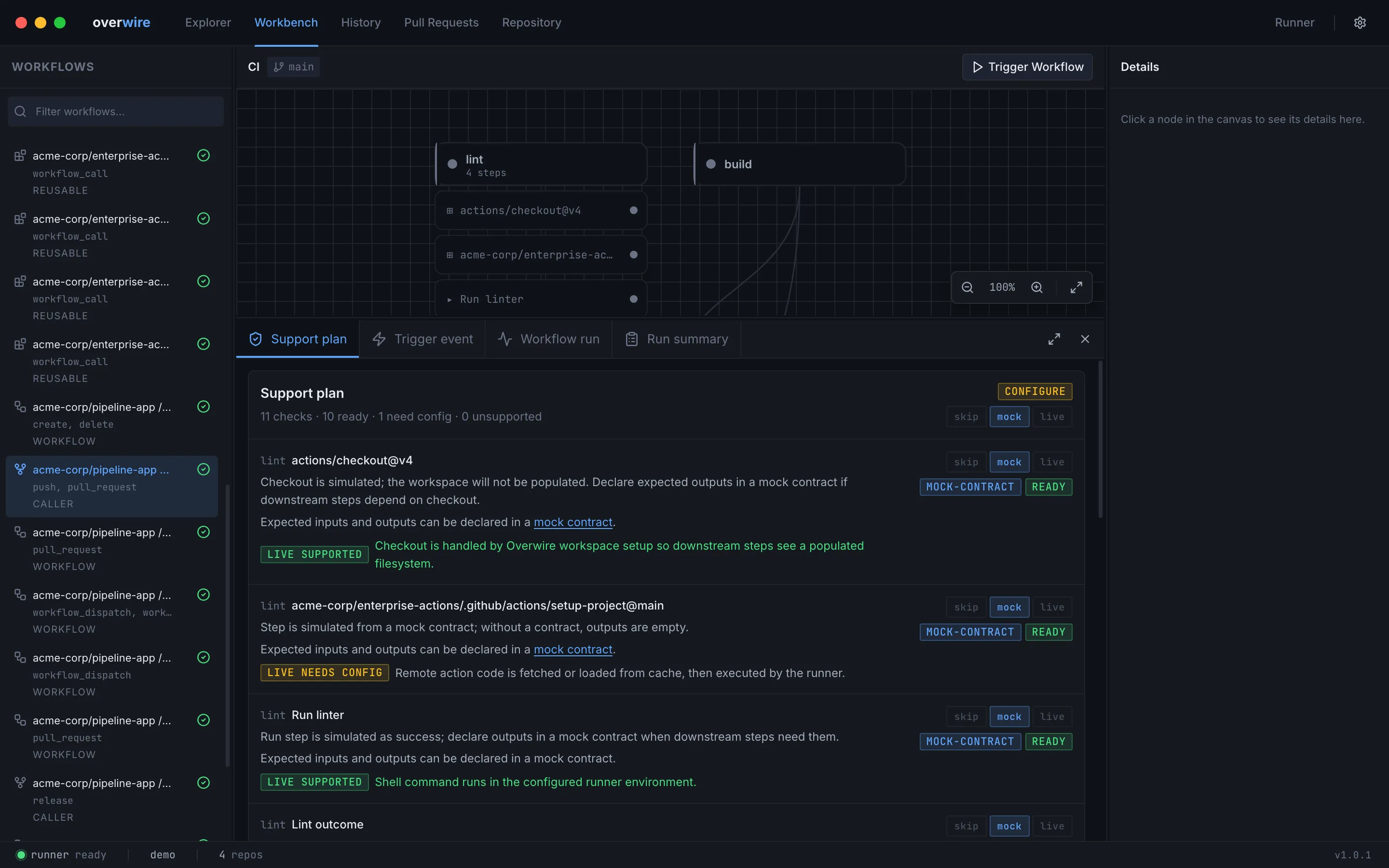
For mockable uses: steps the row links to the step’s mock contract, creating the file on first use. The same classification logic backs overwire explain in the CLI; the background is in support tiers.
Workflow run
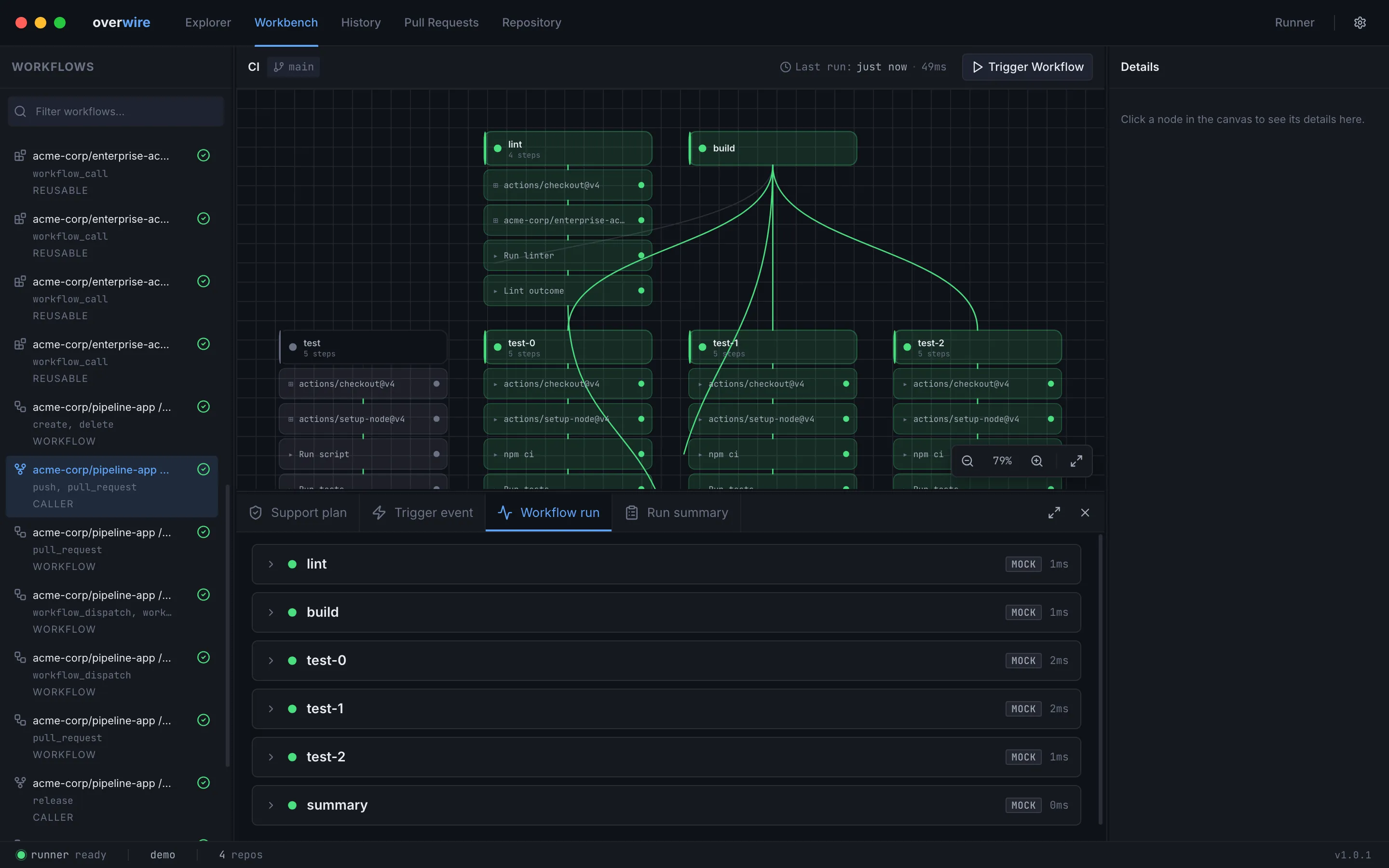
Section titled “Workflow run”Once a run starts, this tab shows a card per job with its steps, statuses, and mode badges, updating live as output streams in. Click any step — running or finished — to open its detail view, which puts the log front and center: the log pane fills the panel (streaming live while the step runs), with the error banner pinned above it and annotations, diagnostics, the step summary, outputs, and resolved environment in collapsible sections below. Error annotations and missing-tool diagnostics start expanded. Completed steps also offer an expression evaluator that probes ${{ }} expressions against the run’s recorded context — github.*, vars.*, matrix.*, needs.*, and earlier steps resolve exactly as they did mid-run — plus a re-run-from-this-step action. Steps selected before they start show a queued placeholder until output arrives.
Run summary
Section titled “Run summary”The summary tab condenses the finished run: outcome, per-job durations and outputs, step summaries rendered as Markdown, produced artifacts, and the GitHub API requests the run made against the local mock server, badged as matched or unmatched. From here you can re-run only the failed jobs and their dependents.
Each artifact row expands into a file tree of everything the run stored. Click a text file — an SBOM, a checksum list, a build report — to preview it in the app (JSON is pretty-printed), or use the row actions to open a file with its default application or reveal it in Finder. Artifacts produced by mock contracts carry a mock badge so synthetic files are distinguishable from live uploads.
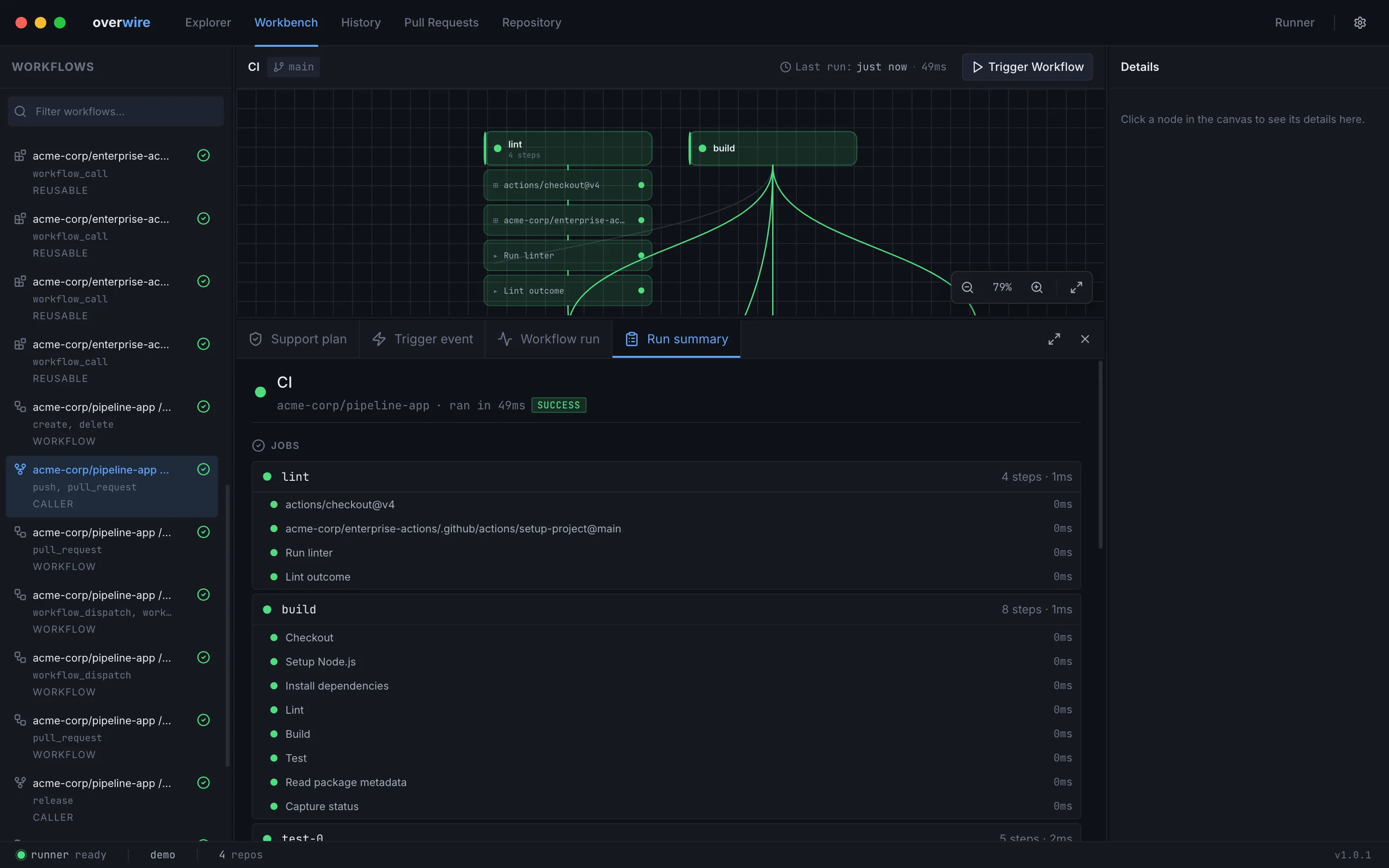
Every run also persists to the run store, so the History page can list, inspect, and diff runs after the panel closes.
Overwire is not affiliated with, endorsed by, or sponsored by GitHub, Inc. “GitHub” and “GitHub Actions” are trademarks of GitHub, Inc.