Editors
The Explorer page pairs a workspace tree with tabbed editors. The tree shows each repository’s .github/workflows/ files and its .overwire/ config directory; tabs are keyed by repository and path, so variables.yml from two repos in the same workspace open as separate tabs without colliding.
Workflow viewer
Section titled “Workflow viewer”Workflow YAML opens read-only with syntax highlighting, inline lint diagnostics, and a mode button group on every step line. Clicking skip, mock, or live writes the override to modes/<workflow>.yml; the workflow file itself is never modified. A default-mode control at the top of the editor sets the workflow-wide fallback.
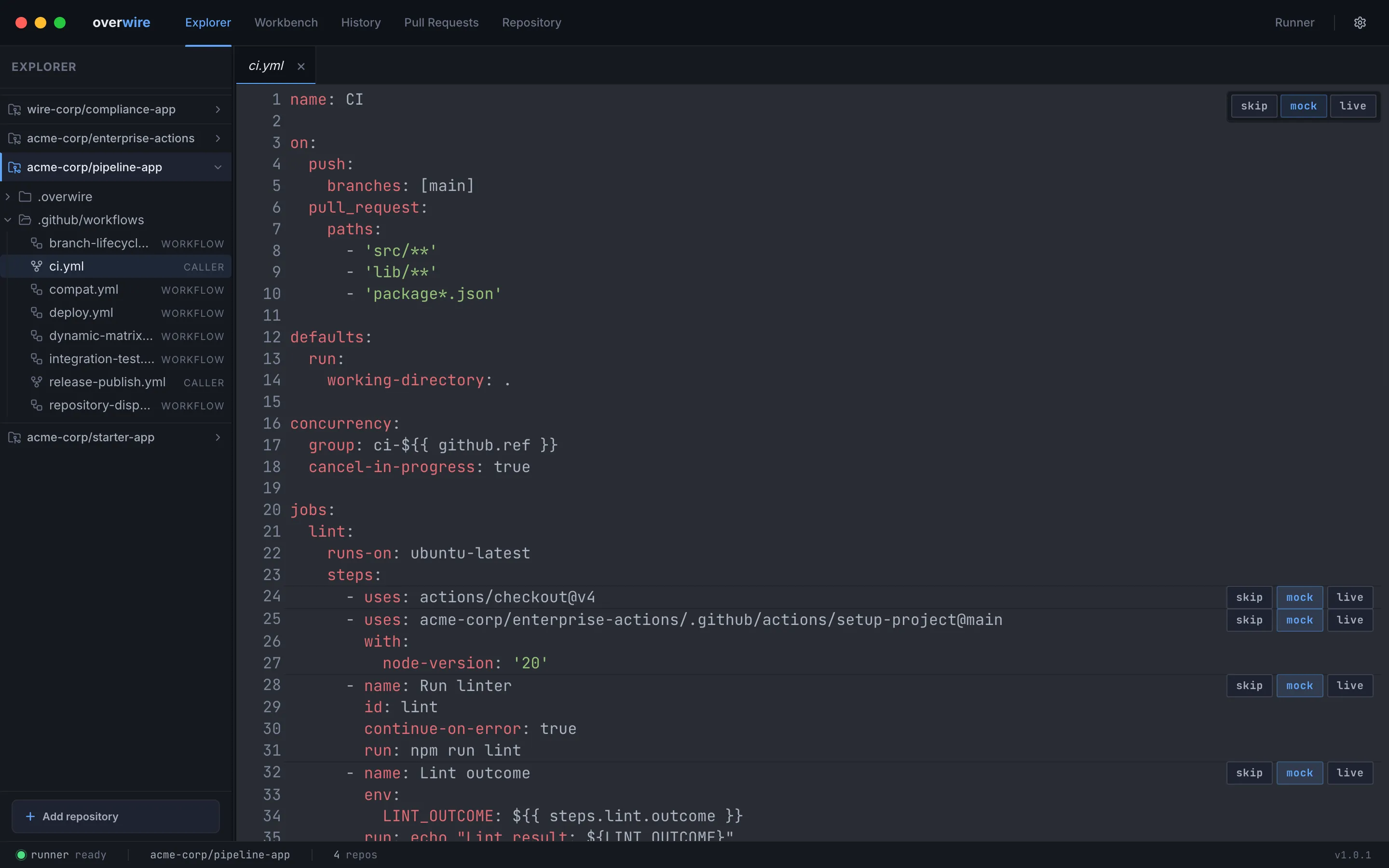
The same diagnostics the lint command reports appear inline: deprecated workflow commands, unpinned actions, duplicate step IDs, and unknown runner labels.
Mock contract editor
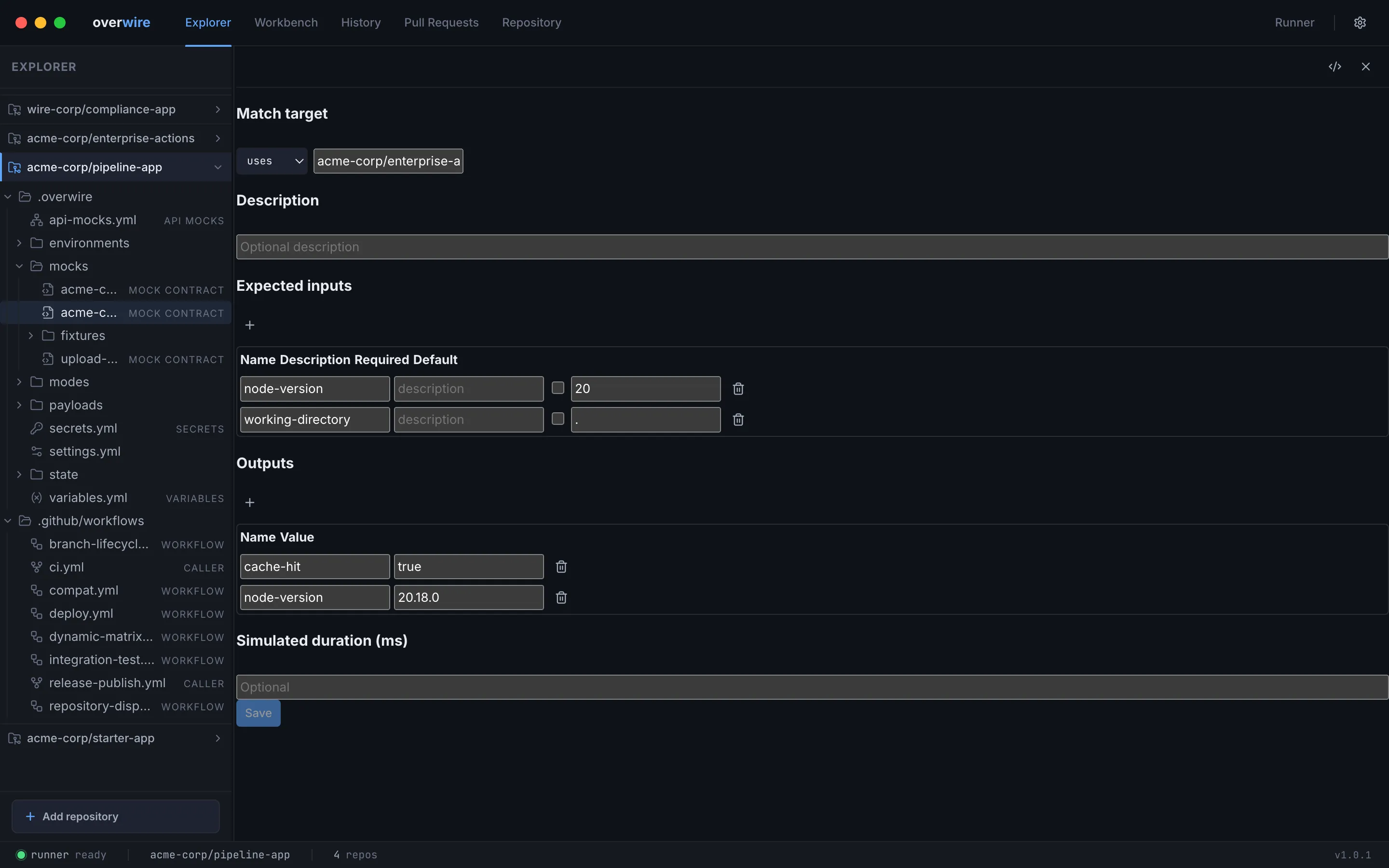
Section titled “Mock contract editor”Mock contract files under mocks/ open in a structured editor instead of raw YAML: the match target (a uses: reference or step ID), a description, expected inputs with required flags and defaults, the outputs to synthesize, and an optional simulated duration. Declared mock artifacts appear as a read-only summary in the form; edit them through the raw YAML toggle — form saves always preserve them. Saving writes the contract file the engine validates against at run time.
Modes file viewer
Section titled “Modes file viewer”Opening a modes/<workflow>.yml file directly shows each job and step with inline mode toggle buttons, which is the fastest way to review every override in one place.
Repo settings editors
Section titled “Repo settings editors”- Variables edits
variables.ymlas a key-value table, exposed to workflows as${{ vars.KEY }}. - Secrets edits declarations in
secrets.yml. The editor shows names and whether a value is present; values themselves never reach the UI. If literal values would be committed to git, the editor warns and offers to add the ignore rule. - Rulesets edits
rulesets.jsonin the platform’s native export format. - Custom properties edits
custom-properties.ymlas a key-value table. - Statuses edits
statuses.ymlas commit-status and check-run tables.
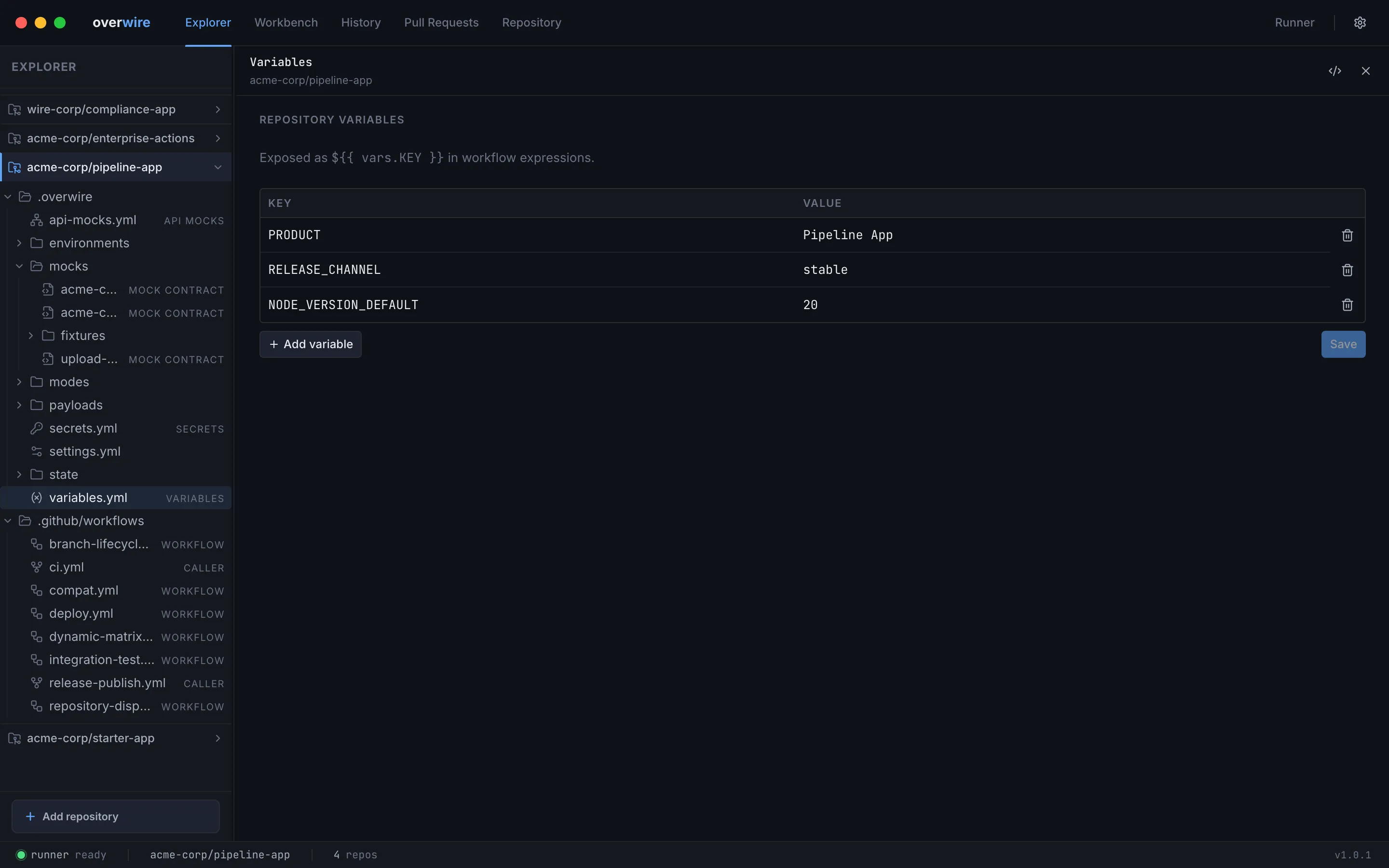
Every structured editor has a raw-YAML toggle in its header for editing the underlying file directly. The same editors power the Repository page, which collects them per repository alongside organization, environment, and status sections.
Overwire is not affiliated with, endorsed by, or sponsored by GitHub, Inc. “GitHub” and “GitHub Actions” are trademarks of GitHub, Inc.